
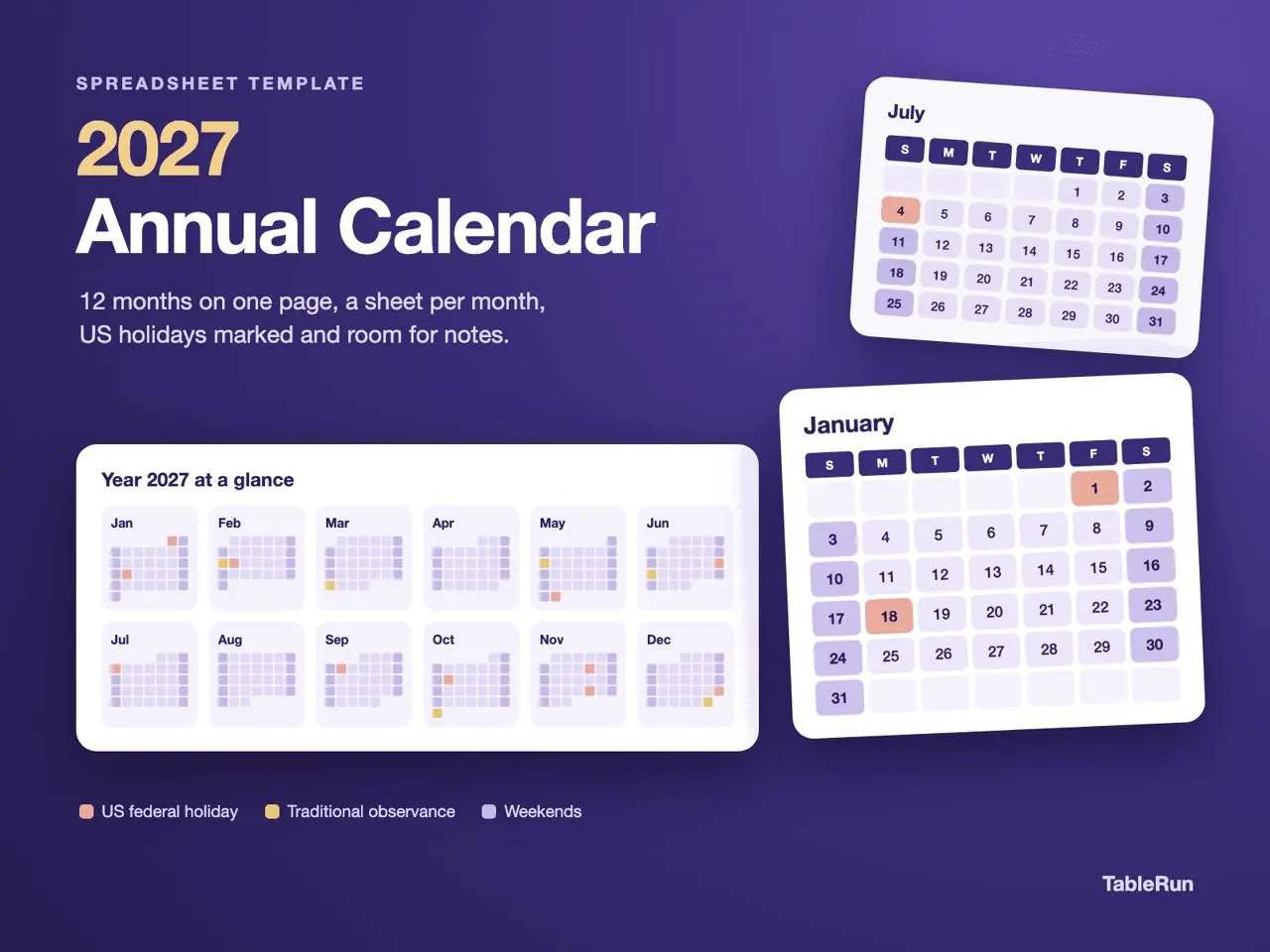
Important dates are often already written down. What needs a clearer place is the work between them: when to prepare, how much time to leave for a review, and which commitments next month need attention today. Bring those decisions into a 2027 calendar, then move from the shape of the year to a workable month.
Start with the shape of your year
A year rarely becomes clear all at once. A few commitments arrive early: a spring project handoff, a summer trip, an autumn event, or a review that happens every month. When those dates live in separate messages and documents, it is easy to miss how closely they fall together. Bringing the fixed points into one calendar helps you see the busy stretches before you add more work, while leaving room for plans that are still taking shape.
The 2027 Annual Calendar brings a year overview and monthly calendar Sheets into one Workbook. Use the wider view when you are deciding where a commitment belongs, then move into its month when you are ready to plan individual dates. The two views serve different purposes: one gives you a sense of the year’s rhythm; the other gives you a place for the next action. You do not need to fill all twelve months in January. Start with what is confirmed and add detail when it becomes useful.
Turn a deadline into a sequence of actions
The easiest entry to put on a calendar is the final deadline. The work that makes it possible is easier to overlook. Suppose a proposal is due on March 18. An entry that says “proposal due” tells you when to finish, but not when to gather the material or ask someone to review a draft. Working backward gives the date a practical structure: collect the material on March 12, review a draft on March 15, and make the final check on March 17. These are illustrative entries, not tasks already included in the template.
Place meetings, deliveries and appointments that are difficult to move first, then arrange the preparation around them. Keep each calendar entry short but actionable. “Send draft to Alex” is easier to act on than a project name on its own. Supporting documents can stay where they belong; the calendar gives you a clear view of what needs to move forward on that date and how it connects to the next milestone. If an entry needs a long explanation, keep the next action visible and the detail elsewhere.
Leave enough space for plans to change
A calendar does not become more useful simply because every date is full. A tightly packed month leaves little room for a delayed review, missing information or another round of changes. Give work that depends on other people enough space to move. When a single day starts carrying too many commitments, keep the most important action visible and return the rest to your task list until you can give it a realistic date.
A weekly review can focus on the entries that have changed rather than rebuilding the whole month. Check whether Wednesday’s work is still possible, whether a later handoff now needs to move, and whether its preparation dates still make sense. Moving only the final deadline can leave earlier checks attached to an outdated plan. Updating the connected actions keeps the calendar useful as a picture of what you intend to do now, rather than a record of what seemed possible at the beginning of the month.
Connect the end of one month to the next
Before a new month begins, look at its first few commitments. An early-April report may require data that needs to be collected in March. A trip at the start of a month may need preparation well before the previous month ends. The year overview helps you notice those coming milestones, while the monthly calendar gives the preparation a date. Using both views makes the handoff between months easier to follow.
Begin with one month instead of trying to organize the whole year at once. Add confirmed dates, work backward to the preparation, leave room for changes, and review the result after a week or two. Once that rhythm is useful, extend it into the next month or quarter. The point of a 2027 calendar template is not to collect the largest possible number of entries. It is to give important commitments a visible place and make the action you can take today easier to recognize.
Plan a deadline across two months
Suppose an application is due on April 8 and requires a reference letter. Put April 8 in the April view first. Then work backward: reserve time in March to ask the referee and prepare a draft, and leave an early April slot for final review. Add the short action to the relevant date rather than putting the whole checklist on the deadline. The year view makes it easier to spot where work for April is already taking up time in March.
Use the date notes for quick planning cues. A note such as “Ask Lin for reference and send role description” is more useful than “Application.” Add a date for checking back if the next step depends on another person. When the timing changes, review the preparation dates along with the due date so they still describe a workable sequence.
Review the next month before closing this one
Check the final week of the current month and the first week of the next one together. Carry forward work that still has a real next step, and remove reminders that have served their purpose. Keep all-day commitments and short preparation notes easy to scan, then put longer context in a document or task list you can refer to separately.