Research products worth exploring, prepare the copy, images and videos you need, and continue the work in your existing platform. Tell the Agent your goal and keep the work connected in one workbook.
Start with a category, a product sheet or a few product photos.
A coffee mug example: from product information to creative assets and a store draft. Interfaces are illustrative.
Keep useful outputs connected to each product.
Use research to prepare content, then take reviewed assets into platform tasks. Organize each step around the product it belongs to.
01
Product research you can compare
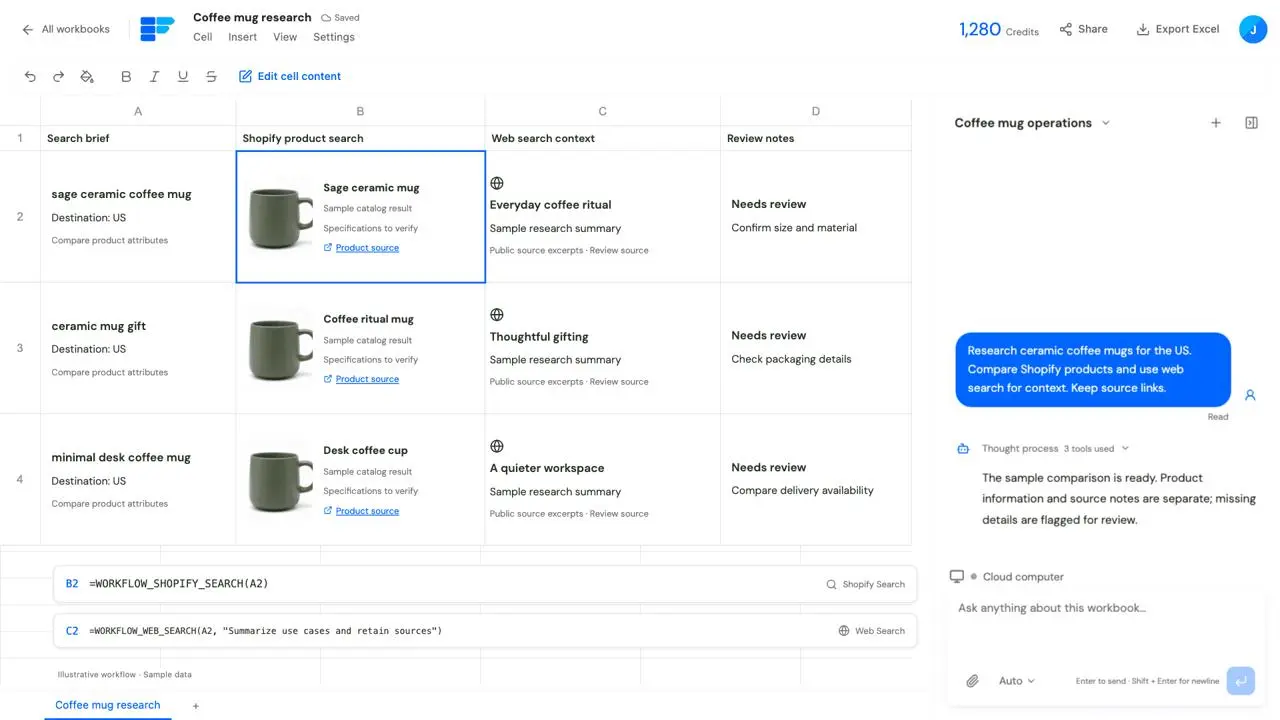
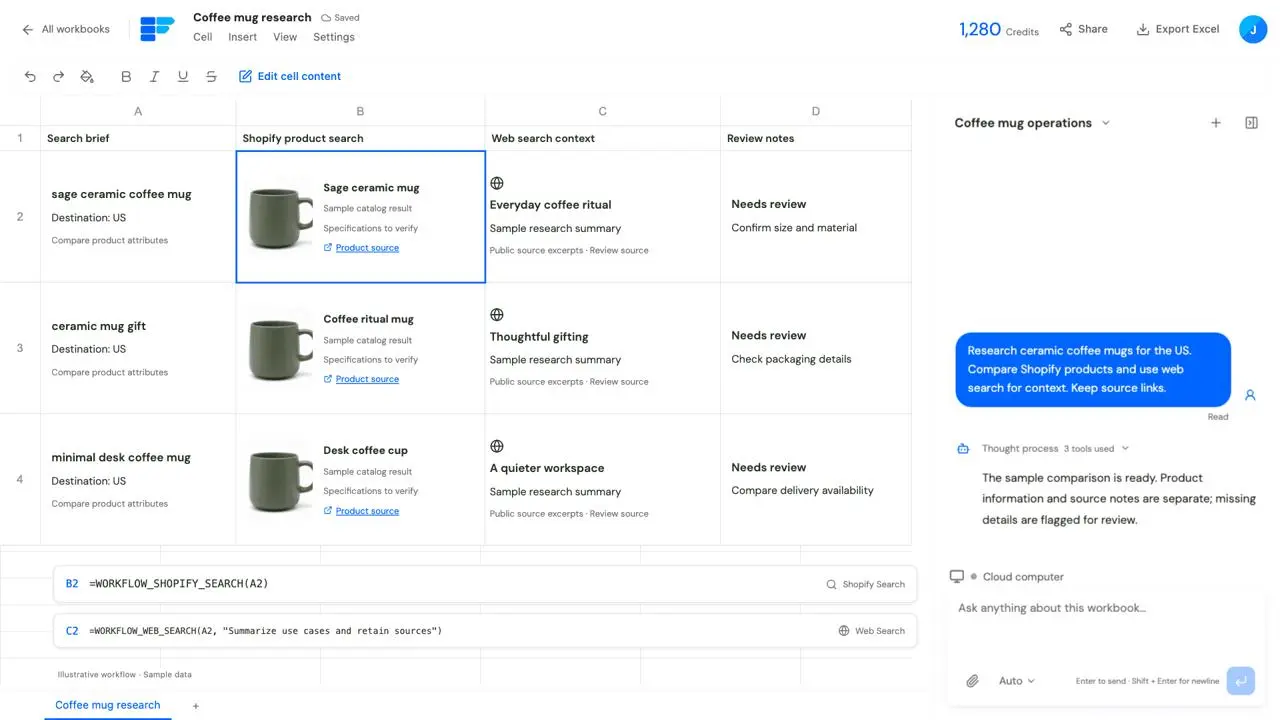
Bring product and web information together to compare prices, specifications, selling points and use cases.
What stays in your workbook
Deliverable
A product shortlist and comparison sheet with sources and review notes.
View example and steps
02
A coordinated content pack
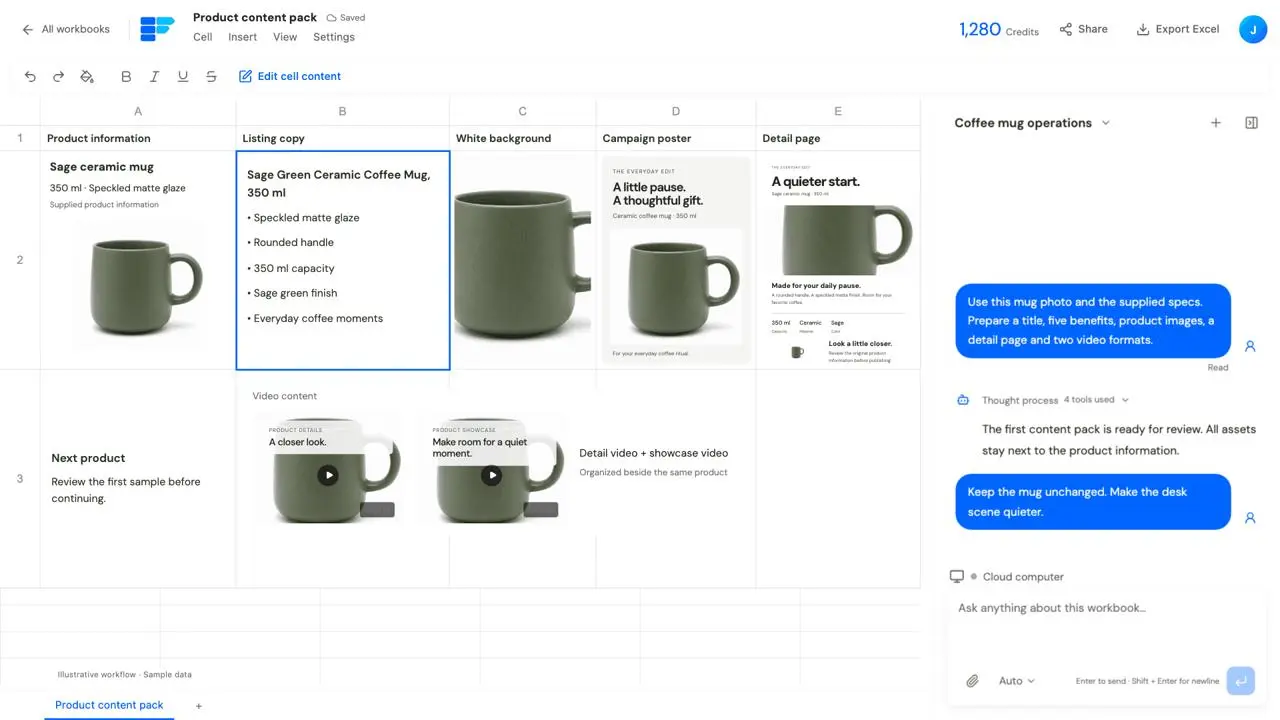
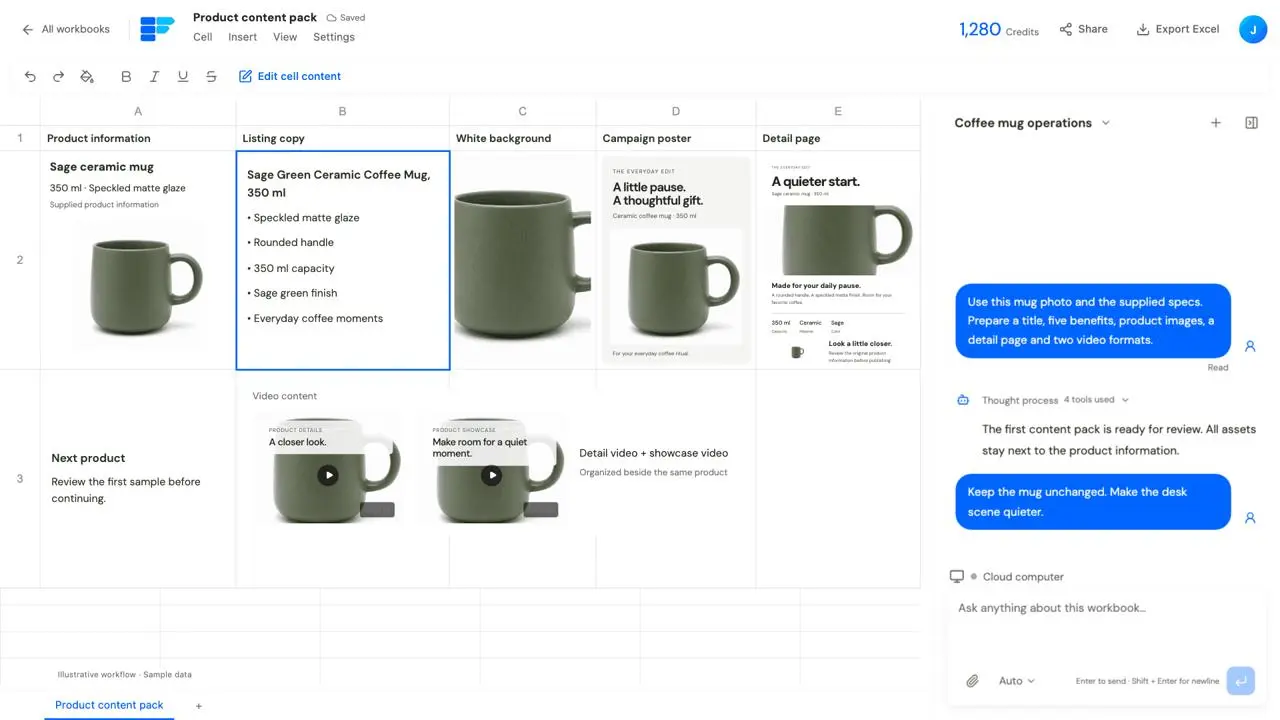
Prepare copy, product images, campaign posters, detail pages and videos from specifications and original photos.
What stays in your workbook
Deliverable
A copy, image and video content pack organized by product.
View example and steps
03
A next step in your existing platform
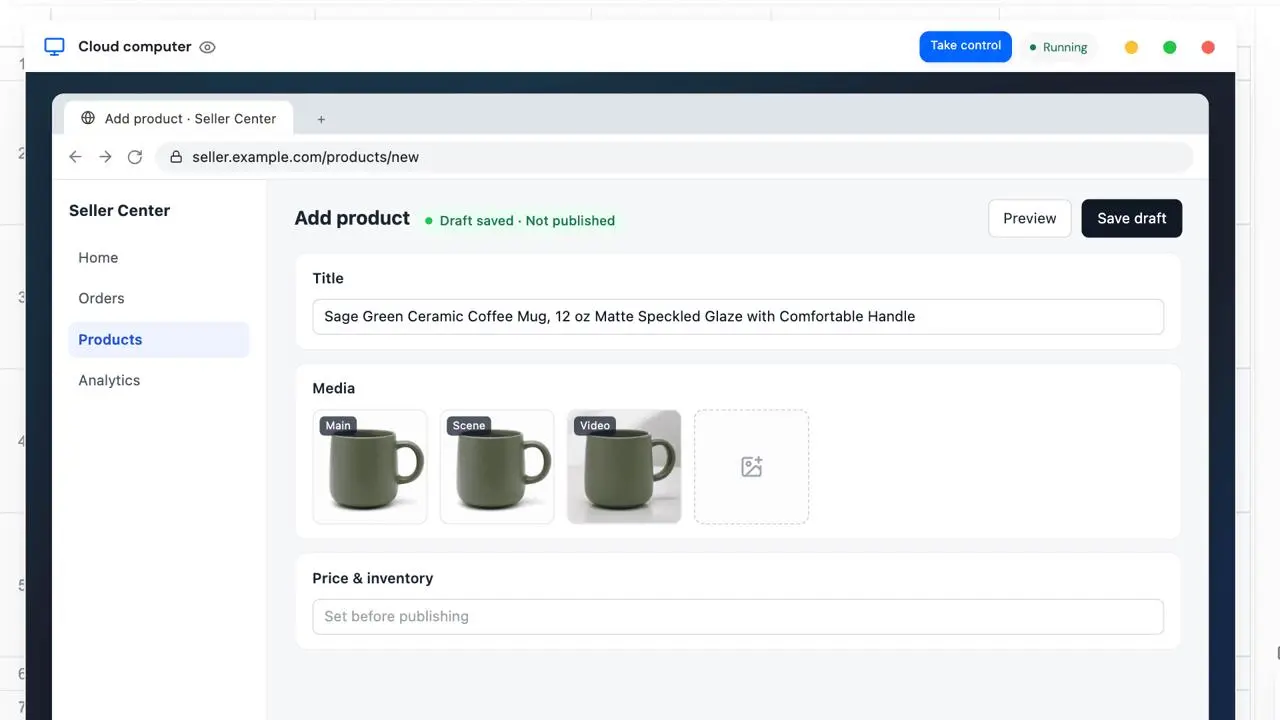
After reviewing and refining content, use the cloud computer to enter product information and upload assets.
What stays in your workbook
Deliverable
Reviewed assets and platform drafts prepared within the requested scope.
View example and steps
Explore a category before choosing what to sell.
01
Turn a category brief into products worth exploring.
Your brief to the Agent
When exploring a category, give the Agent a target market, price range and audience. Search Shopify products and use web search to add product and brand context. Organize candidates in the sheet and compare specifications, prices, selling points and use cases. Follow up on promising products, retain sources and flag missing information before choosing what to develop. Search can live in a cell as a Workflow. Use each row for a keyword, brand or product link, and ask the Agent to configure Shopify Search and Web Search formulas. Keep queries beside their results and reuse the research method with new inputs.
Example prompt
Research ceramic coffee mugs for the US. Search Shopify products and supplement with web information. Compare prices, capacity, materials and selling points. Keep source links and flag missing details.
The work and its output
Illustrative workflow with sample products and sources; not live research.
Deliverable
A product research sheet you can filter, compare and investigate further.
NEW PRODUCT CONTENT
Give the Agent your product information. Build the listing content together.
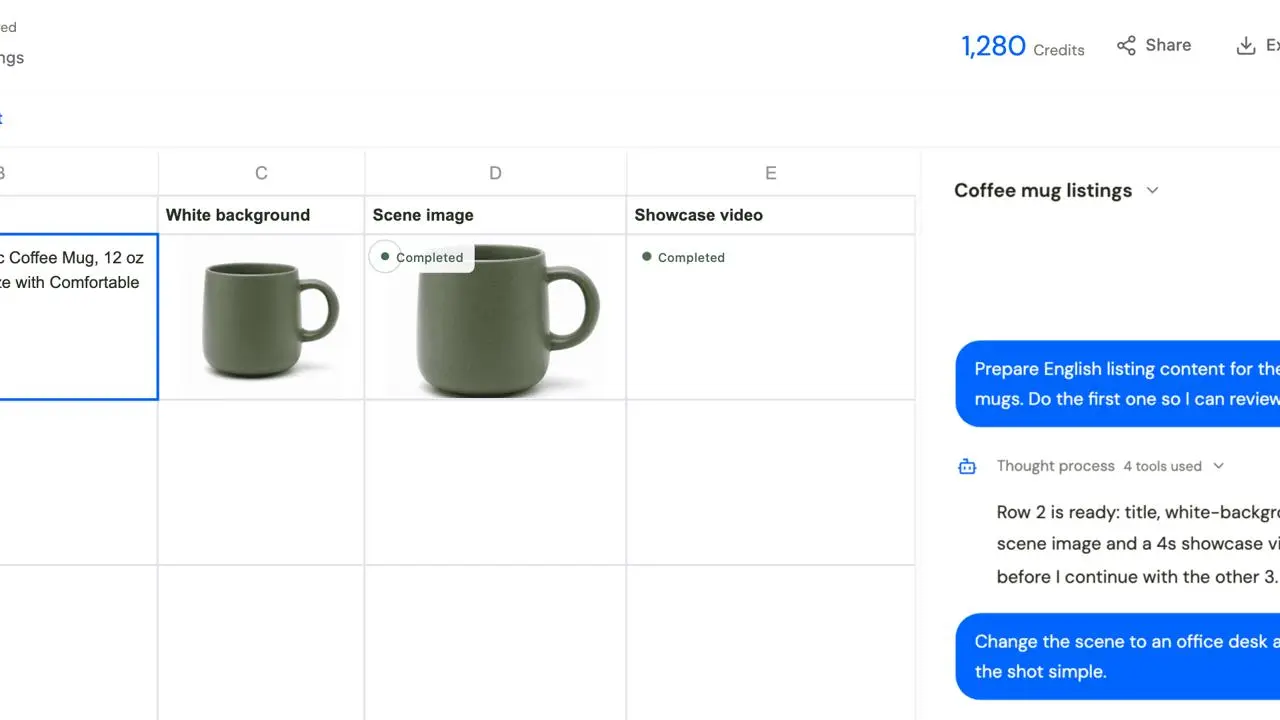
Start with a supplier spreadsheet, product specifications and original photos. Ask the Agent to organize the information, write the copy and prepare product images and videos. Describe your market, brand style and selling points, then refine the work through conversation: “Preserve the logo,” “Use a desk setting,” “Lead the detail page with capacity and material,” or “Show more product details.” Keep source information beside the outputs to review specifications, appearance and consistency.
Product copy
Prepare titles, benefits, detail descriptions and FAQs.
Product imagery
Develop product photos, white-background images and promotional scenes.
Detail pages and video
Organize detail pages and create detail and showcase video content.
Illustrative content preparation for the same coffee mug.
Review one sample. Then continue with the selected products.
01
Turn an approved direction into a reusable method.
Your brief to the Agent
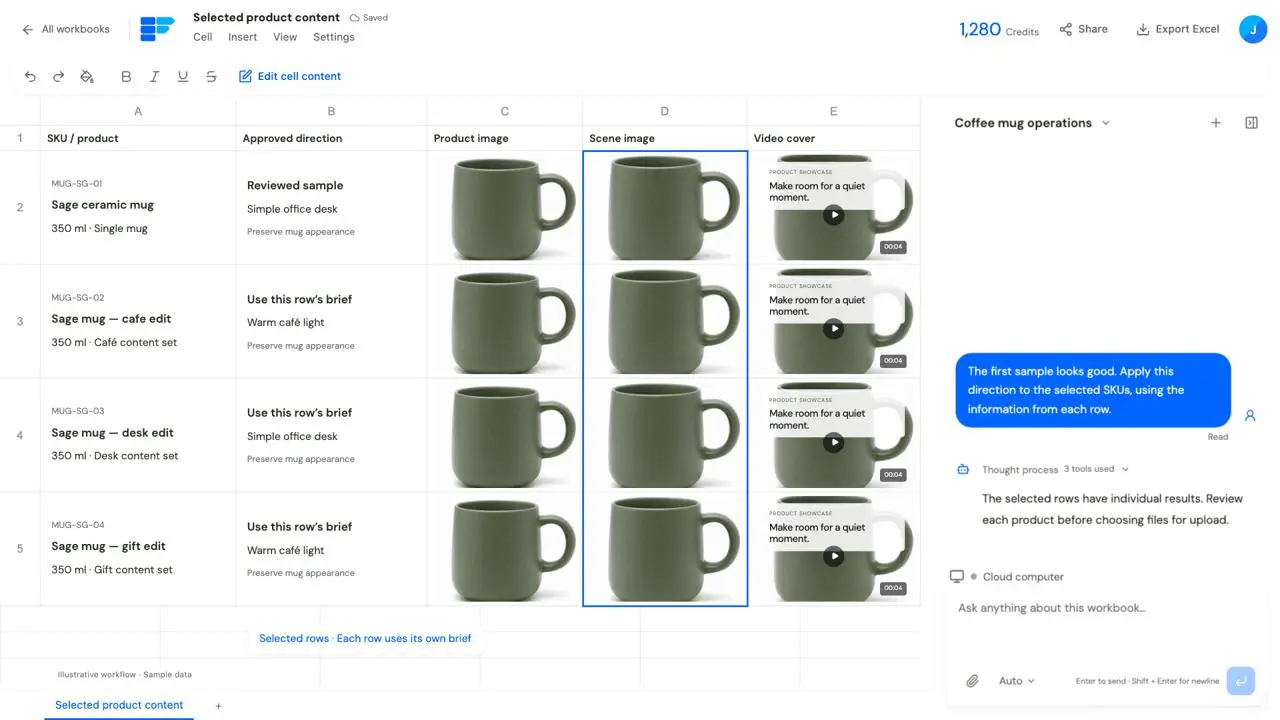
Start a batch with one representative product. Agree on the content direction, then refine the title, benefits, images and video through conversation. When the sample is ready, ask the Agent to configure reusable Workflows for the other selected products. Each row uses its own specifications, photos and brief. Review the results next to their inputs, revise individual assets or products, and keep the content you already like.
Example prompt
The first sample looks good. Apply this direction to the selected products, using each row’s own images, specifications and brief. Keep outputs aligned so I can review them individually.
Choose a representative product
Provide its original photo, specifications and required outputs.
Refine the sample through conversation
Agree on copy, scene and video direction.
Apply it to selected products
Use each row’s inputs to prepare its own results.
Review and revise individually
Revise the products and assets that need attention.
The work and its output
Sample rows illustrate different briefs; actual content follows each row’s inputs.
Deliverable
Reviewed content versions aligned with their products.
Build campaigns and market versions from your existing product sheet.
01
Prepare coordinated assets for a campaign.
Your brief to the Agent
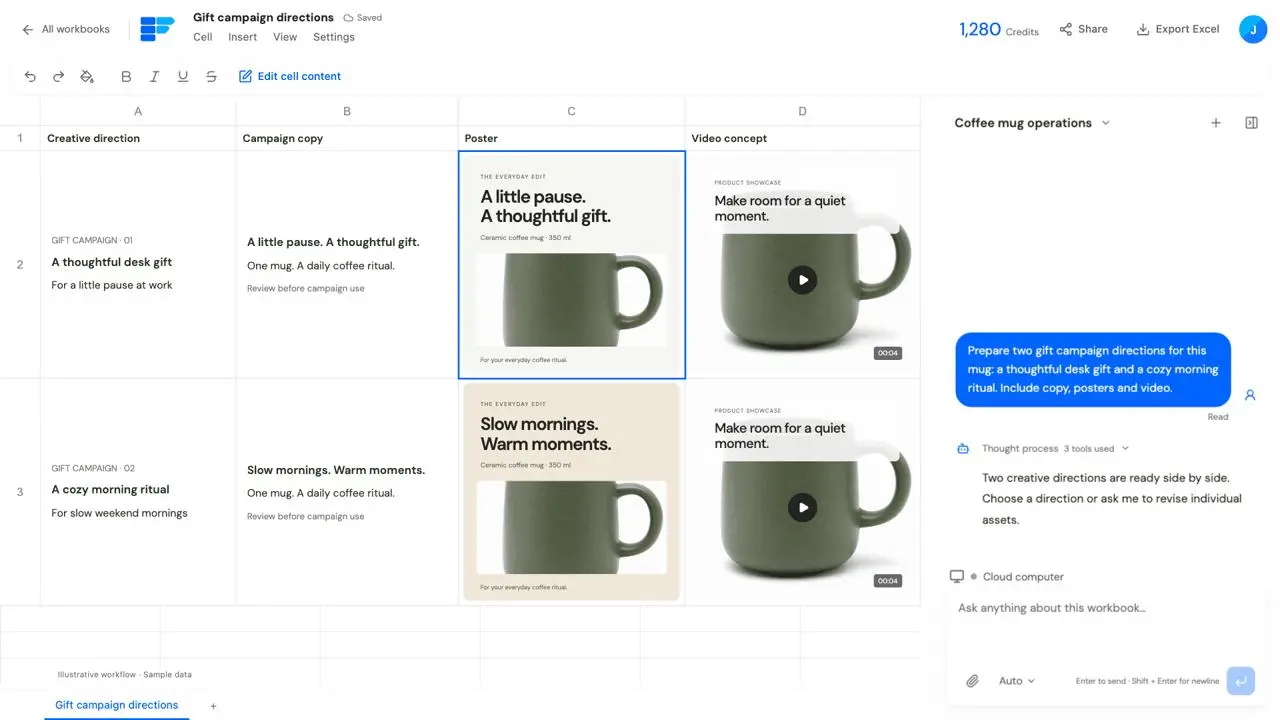
Choose products for a campaign and prepare promotional images, posters, social copy and video around a shared theme. Explore directions for different audiences, compare them side by side, and choose which versions to refine. Reuse the underlying product information while adapting the campaign theme, visuals and copy.
Example prompt
Prepare gift campaign posters, social copy and short video for these coffee mugs. Show two directions first: a thoughtful desk gift and a cozy morning ritual.
The work and its outputIllustrative layouts for comparing creative directions.
Deliverable
Creative sets organized by campaign, audience and product.
02
Adapt copy, imagery and video for another market.
Your brief to the Agent
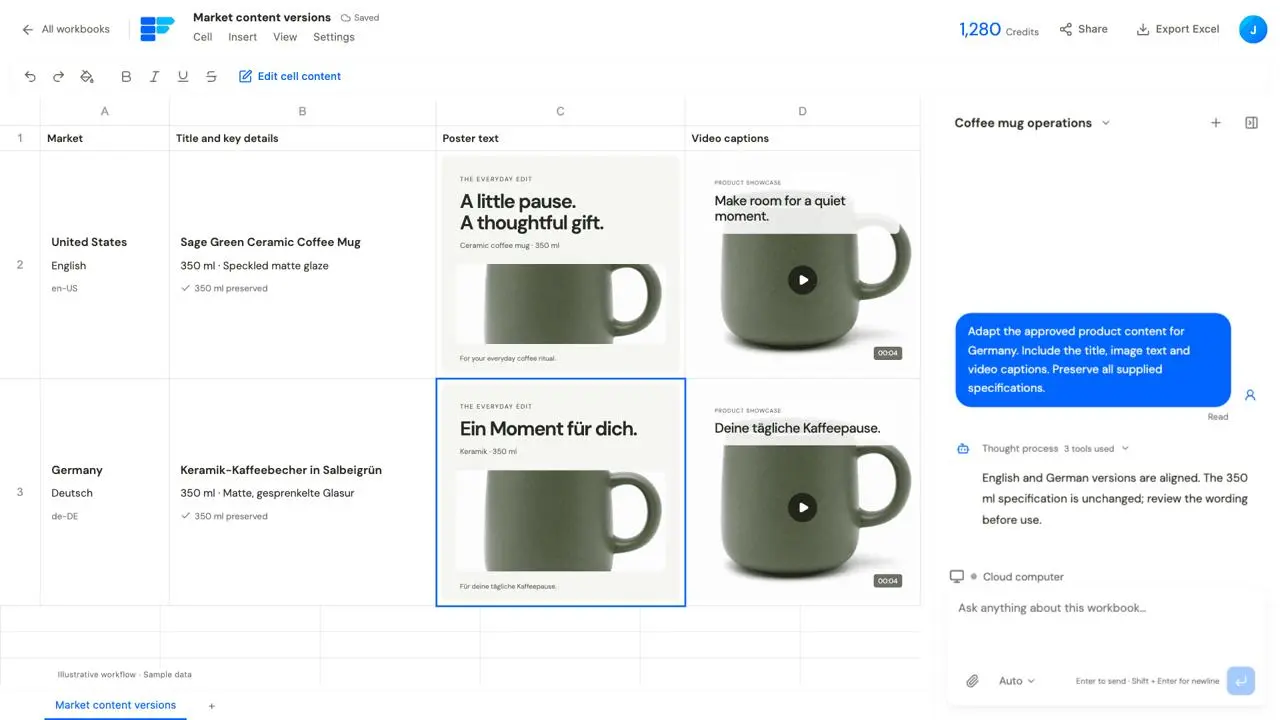
Prepare versions for different languages and markets from the same product information. Adapt titles and benefits as well as image text, detail pages and video wording while retaining the original specifications. Keep market versions aligned, check consistency and list uncertain wording for review.
Example prompt
Adapt these products for Germany: titles, benefits, poster text and video captions. Preserve the original specifications and list uncertain wording for me to confirm.
The work and its outputExample market versions with aligned specifications; review wording before use.
Deliverable
Content versions organized by product and market, with review notes.
FROM ASSETS TO PLATFORM
Take reviewed content into your existing platform.
Sign in to your existing ecommerce platform in the cloud computer, then ask the Agent to continue on the product editing page: find the right product, enter copy, upload images and videos, and prepare a draft as requested. Specify the content versions, products and review points. Take over for sign-in or verification when needed, then continue the task. The product information and assets in your workbook become inputs for the next platform steps.
Define the scope
Specify the store, products and approved content versions.
Continue platform tasks
Enter product information and upload images and videos.
Keep a review step
Ask for drafts first, review them and decide what to do next.
The seller page is a schematic illustration, with no real store connection, upload or publication.
Use feedback and data to guide the next round of work.
Provide reviews, questions or business reports, then ask the Agent to organize findings and suggest follow-up research, copy or creative tasks.
01
Find what customers care about in their reviews.
Your brief to the Agent
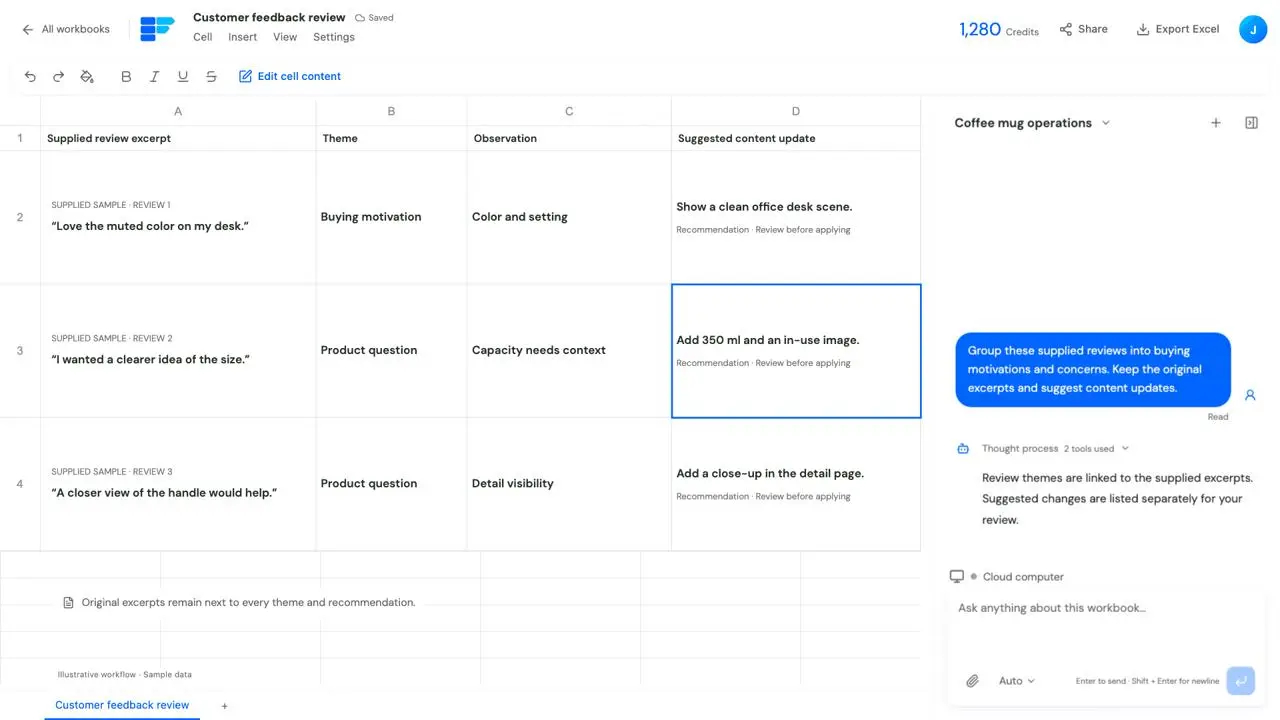
Group buying motivations, product questions and concerns. Retain supporting excerpts and suggest updates to detail pages, benefits and FAQs.
Example prompt
Analyze these supplied reviews, group the main benefits and concerns, and suggest detail-page updates. Keep example excerpts behind each theme.
The work and its outputReviews are illustrative samples.
Deliverable
Feedback themes with source excerpts and content recommendations.
02
Find products that deserve a closer look in your reports.
Your brief to the Agent
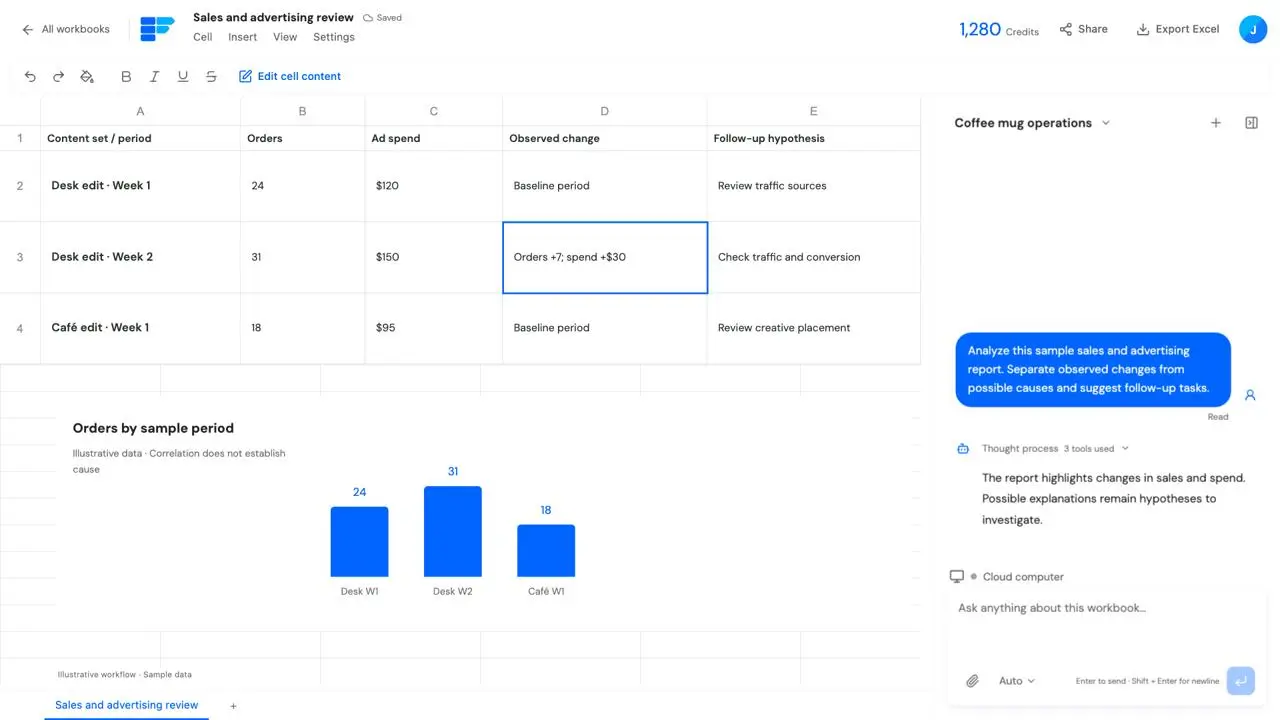
Import sales or advertising reports to compare performance and notable changes. Separate observations from possible causes and form a follow-up task list.
Example prompt
Analyze this sales and advertising report. Identify notable product changes, separate observed data from possible causes, and suggest next steps.
The work and its outputBusiness figures are samples, not customer results.
Deliverable
Analysis tables, charts and a follow-up list.
A few things to know before you start.
Do I need to write Workflow formulas myself?
Describe the task in natural language and ask the Agent to help configure search and content generation. You can also inspect and adjust Workflow formulas in the cells.
Can I start with product photos?
Start with photos and the information you already have. Use supplied or verified sources for specifications, materials and features, and flag missing details for follow-up.
Can I review one product before starting a batch?
Yes. Prepare one sample, refine it through conversation, then apply the approach to the other products you select.
Can I organize copy, images and videos together?
Organize them in corresponding cells and sheets so you can compare source information, review versions and reuse the content in later tasks.
Can I use my existing store platform?
Use the cloud computer to sign in and work within the platform’s available flows and your account permissions. You can complete sign-in and verification, and define the scope of the Agent’s task.
Are asset uploads and publication the same step?
You can separate them. Ask the Agent to enter content, upload assets and save drafts, then review before deciding whether to publish.
How is content generation charged?
Charges depend on the model, settings and output count. Tasks follow TableRun’s cost display and approval flow, so you can start with a small sample before choosing a batch scope.
Take your products to the next step.
Upload a product sheet and photos, or tell the Agent which category you want to research. Start with one task and connect research, content preparation and platform work as you go.