
COMPETITOR RESEARCH

Know your competition. Let your Agent do the digging.

From Shopify products to the wider web. Give TableRun your research goal — the Agent can choose and combine search, cell workflows, and a cloud computer to build your comparison.

Start your work
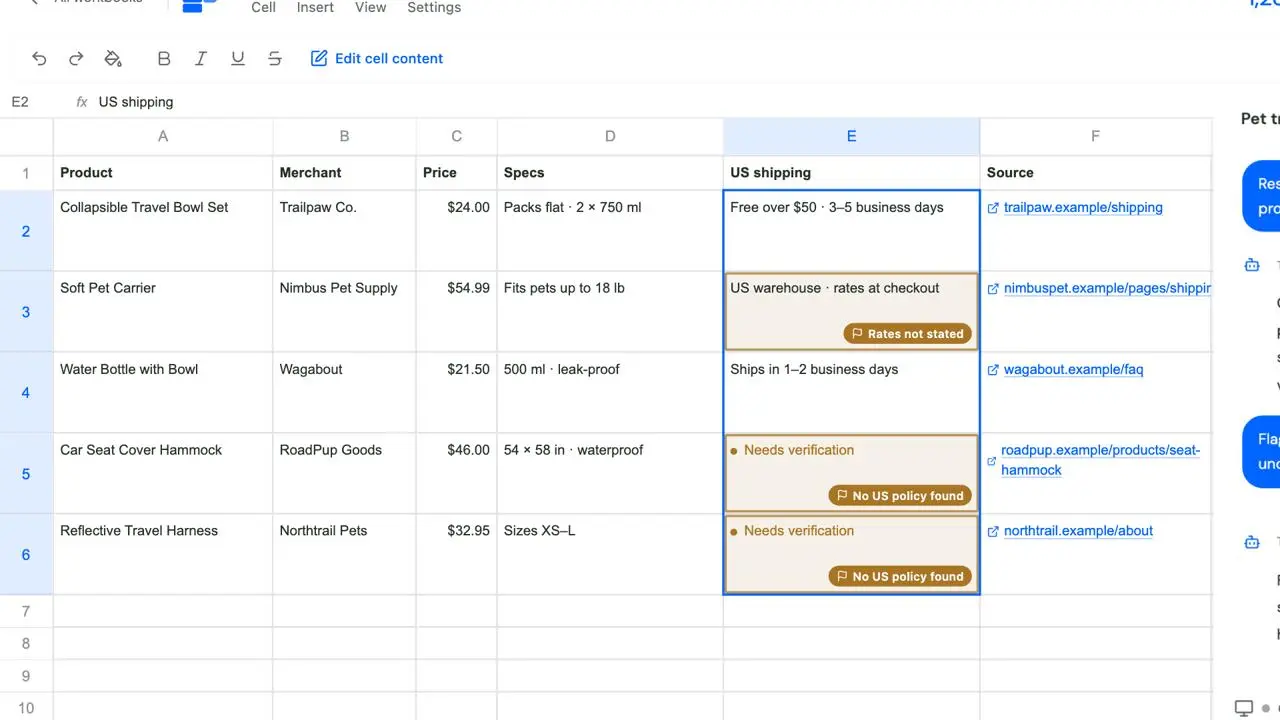
From a research question to a comparison sheet and flagged gaps. Products, brands and sources in this animation are illustrative.

Research pet travel brands, products, prices and US delivery.

This run organized 18 products from 6 Shopify merchants. The Agent used the cloud browser to research storefronts and delivery policies, then saved product details, prices, source links, and findings in the workbook.

THREE WAYS TO GET THERE

You set the question. Your Agent works out the approach.

Find products, discover competitors, or inspect the details on their sites. The approach follows the research — and can change as new evidence appears.

Shopify Search

Structured product discovery

Use the Shopify product search Workflow to discover products across merchants in Shopify Global Catalog. Set the query, destination, price ceiling, and selection criteria; bring structured product data back into the sheet.
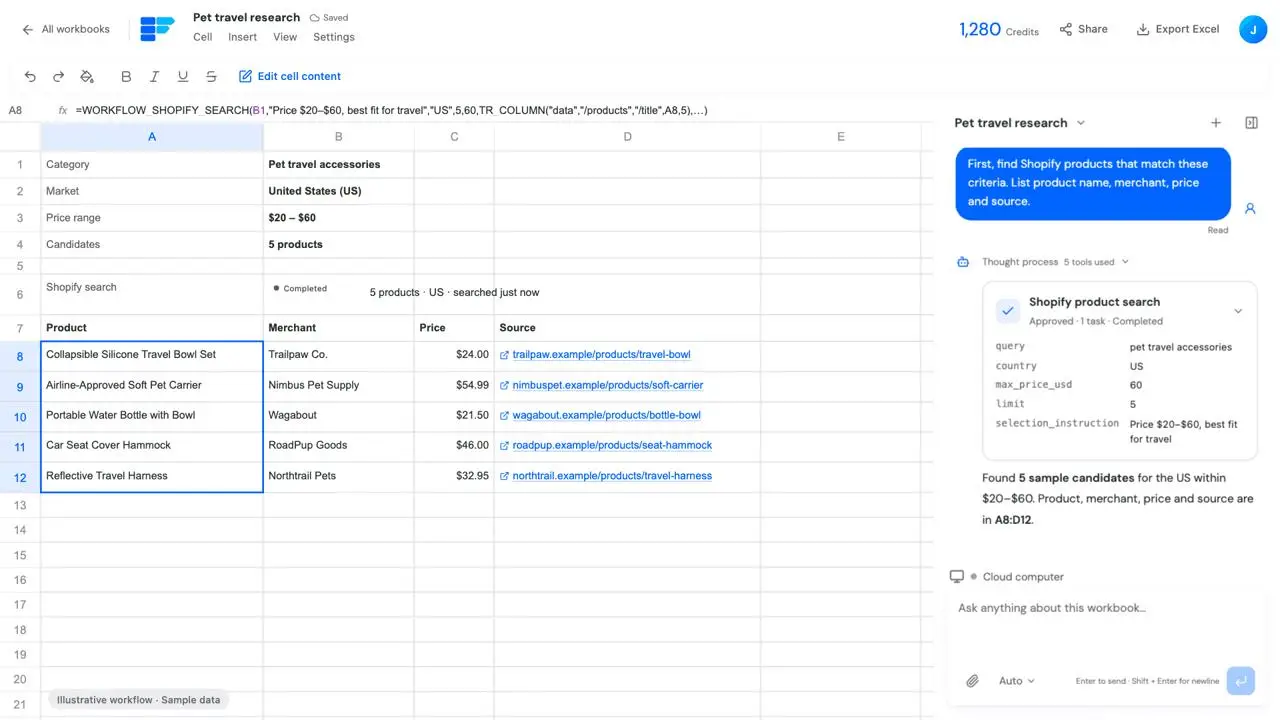
Illustrative workflow with sample brands, products, pages and links.

Web Search

Research beyond the catalog

Ask the Agent to discover brands and public information, compare sources, and refine the search as it learns. For repeatable research on known subjects, a Web Search Workflow can keep the query, summary, and sources in cells.

Illustrative workflow with sample brands, products, pages and links.

Sandbox

Go deeper on the actual site

When search summaries are not enough, ask the Agent to open merchant websites, check product specifications and shipping terms, then add findings and sources to the comparison sheet. Take over for sign-in or verification when needed, then return control.

Illustrative workflow with sample brands, products, pages and links.

WORKFLOWS, INSIDE YOUR CELLS

Keep the research method. Not just the answer.

A cell can do more than hold a result. Bind a Shopify Search or Web Search Workflow to it, reference inputs from other cells, and keep the configuration with the workbook.

Reference your inputs

Use cell references for product queries or research instructions. Fill the configuration down with relative references when the same method applies to more rows.

Review and run in place

Review pending work from the cell or conversation approval card. Results return to the configured output cells; configuration and execution are separate steps.

Change the brief. Run it again.

Keep the original result while inputs change. Outdated results are marked, and you can regenerate with the new inputs when ready. A formula does not set up scheduled monitoring.

Review inputs, formula and outputs in one sheet. Sample data; check execution settings for your actual task.

Before you begin.

Do I have to choose the research tool?

Describe the competitors, market, questions, and output you want. The Agent can select and combine the available tools. You can also ask for a particular method or request a plan before execution.

When is a cell Workflow useful?

When the inputs and research method are repeatable, and you want to retain the configuration and rerun it later. Open-ended competitor discovery may instead start with Agent Web Search or browser research.

Does Shopify Search cover every store?

The catalog Workflow searches Shopify Global Catalog, not every Shopify store. A catalog search can return up to 10 products. The example above used cloud-browser storefront research and is not a catalog Workflow result.

Can I watch or take over the cloud computer?

Yes. Open Cloud computer in the Agent panel to observe. Take control when manual input is needed, then return control. Viewing does not give control, and websites may still require login or verification.

Will the sheet update itself every day?

A saved Workflow retains its configuration; it does not create a schedule. Review and run it again when needed, following the current approval and cost information. Research results reflect the sources available at the time of the run.

Bring the question. Build the comparison.

Start your research

Keep exploring